





- Posts: 50
- Thank you received: 0
Online Forums
Technical support is provided through Support Forums below. Anybody can view them; you need to Register/Login to our site (see links in upper right corner) in order to Post questions or issues. You do not have to own a commercial license in order to use the OPC Labs support. Our team is actively monitoring the forums, and provides replies as soon as possible.
Please read Rules for forum posts before reporting your issue or asking a question. OPC Labs team is actively monitoring the forums, and replies as soon as possible.
Various technical information can also be found in our Knowledge Base. For your convenience, we have also assembled a Frequently Asked Questions page.
Do not use the Contact page for technical issues.
Update to Version 2020.2
29 Apr 2020 15:33 #8430
by Enrico
Replied by Enrico on topic Update to Version 2020.2
I updated from version 2018.3 to version 2020.2.
No, I didn't try with another computer. This is my Development Device, and I need to get it working there.
But, I have two accounts on that device. I tried to deinstall and install in bot accounts, no change.
Any other thing you could recommend me to try, like cleaning the windows registry.
greetings
No, I didn't try with another computer. This is my Development Device, and I need to get it working there.
But, I have two accounts on that device. I tried to deinstall and install in bot accounts, no change.
Any other thing you could recommend me to try, like cleaning the windows registry.
greetings
Please Log in or Create an account to join the conversation.


29 Apr 2020 09:10 #8427
by support
Replied by support on topic Update to Version 2020.2
Hello,
that's weird. You have the right version&build. I checked it also with your Setup log.
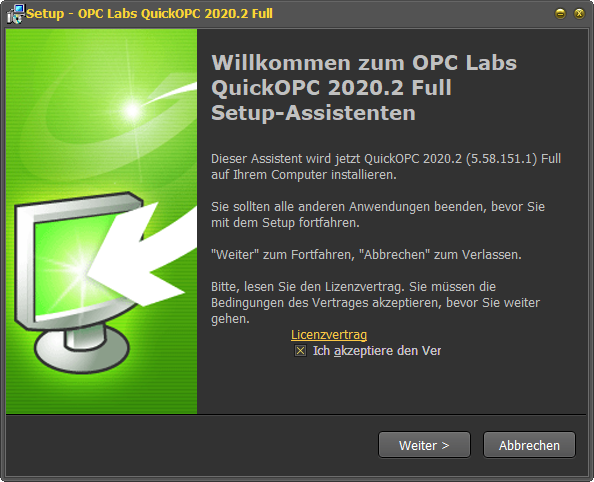
Unfortunately it works in my test (on a clean computer). I wonder whether it is not related to the fact that you have made an upgrade. Do you know which version you had before?
And, have you tried on some other computer?
Kind regards
Z.
that's weird. You have the right version&build. I checked it also with your Setup log.
Unfortunately it works in my test (on a clean computer). I wonder whether it is not related to the fact that you have made an upgrade. Do you know which version you had before?
And, have you tried on some other computer?
Kind regards
Z.
Please Log in or Create an account to join the conversation.
29 Apr 2020 08:03 #8424
by Enrico
Replied by Enrico on topic Update to Version 2020.2
Please find attached the version of the installer.
If you need more info please let me know.
If you need more info please let me know.
Please Log in or Create an account to join the conversation.
28 Apr 2020 12:20 #8414
by support
Replied by support on topic Update to Version 2020.2
Hello Enrico,
what is the full version number (including build/revision numbers), from the 1st page of your Setup wizard?
For a short wait, we had a build with this problem on site for download. But we fixed it quickly then.
Best regards
what is the full version number (including build/revision numbers), from the 1st page of your Setup wizard?
For a short wait, we had a build with this problem on site for download. But we fixed it quickly then.
Best regards
Please Log in or Create an account to join the conversation.
28 Apr 2020 10:19 #8412
by Enrico
Update to Version 2020.2 was created by Enrico
Hello,
I updated from version 2018.3 to version 2020.2. With version the 2018.3 the connectivity explorer was running fine (even today). After the update I get the following error message (see attachment) when trying to start.
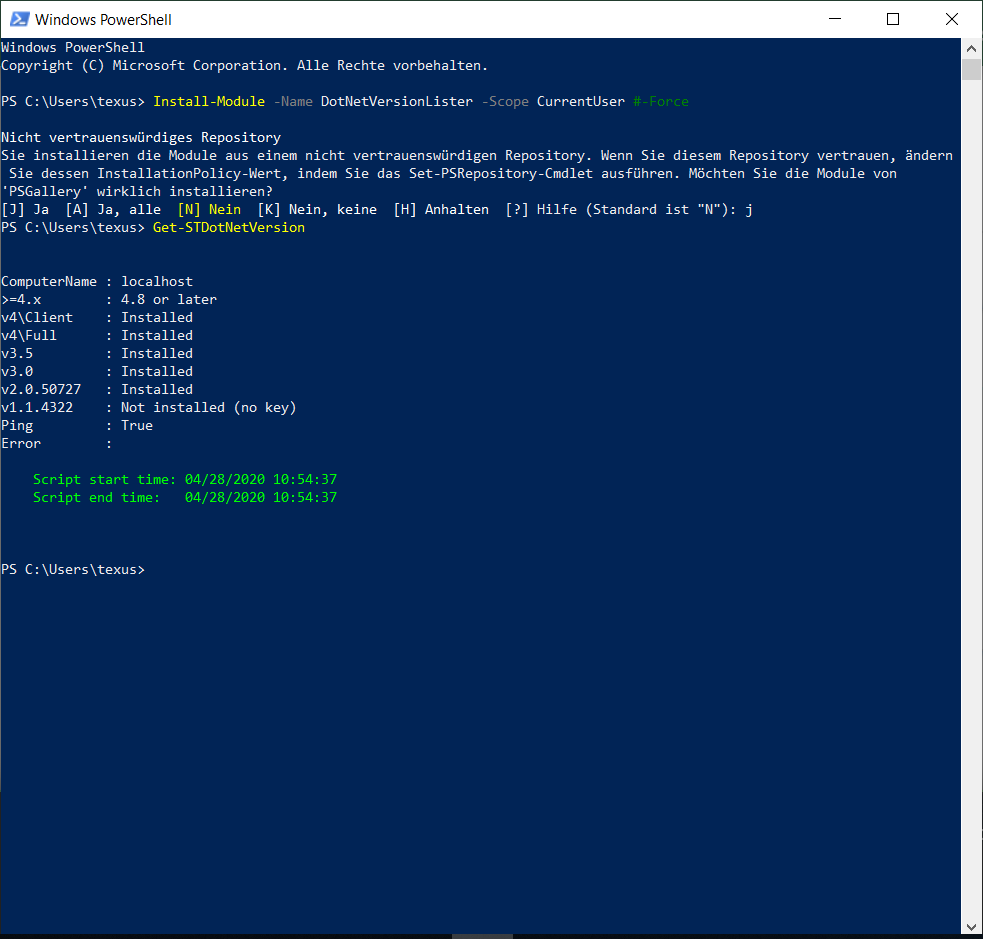
I checked the current .net version. Shouldn't be a problem. See the attachment.
I also attach the setup log, I don't see any obvious problems there.
Any idea?
All the best from sunny Bremen
I updated from version 2018.3 to version 2020.2. With version the 2018.3 the connectivity explorer was running fine (even today). After the update I get the following error message (see attachment) when trying to start.
I checked the current .net version. Shouldn't be a problem. See the attachment.
I also attach the setup log, I don't see any obvious problems there.
Any idea?
All the best from sunny Bremen
Please Log in or Create an account to join the conversation.
Moderators: support, vaclav.zaloudek
Time to create page: 0.125 seconds